Membrane Keyboard vs Mechanical Keyboard
 .
.
There are many ranges of keyboards from many different makers out there,
most of whom are either membrane keyboards or mechanical keyboards.
Being a gamer and a typist I used many different keyboards over the
years, all with their different benefits or downfalls. Some feel good on
my hands, others not so. When you do a lot of work or a lot of gaming,
you want something that will perform well to your fingers. Now not all
keyboards are made the same granted that some are made better than
others even if they are similar. Today we will compare the membrane
keyboard and mechanical keyboard, and provide recommendations about who
should use membrane keyboard and who should use mechanical keyboard.
Membrane Keyboard
What is a Membrane Keyboard
Let’s
get down to business with the first type of keyboard called a membrane,
it uses 3 different layers in it design, which are very flexible. The
first layer is called the top membrane layer, under the top there is a
conductive trace. When the key is pressed, it moves thru the second
layer which is made up of holes, allowing the pressure pads that are
located under each key to pass through, and make contact with the
conductive traces on top of the bottom membrane layer.

.
Membrane keyboard diagram. Photo by Fourohfour from Wikipedia
There are two types of designs that are used. One is the flat key
design, which is commonly used on microwave ovens. The keys in this
design are printed on the same pad, It still uses an pressure pad, but
because it provides no notable “physical feedback”, it makes it hard to
use on a computer keyboard, which typist rely on physical feedbacks to
blink type.
The other type called dome switch keyboard, which uses
a dome with printed letters on top, sometimes they are printed on or
laser stretched. This type of keyboard uses a rubber or a silicone
keypad that comes with domes as the top membrane layer. When the domes
being press down, they collapse, and the graphite under the dome will
complete the circuit underneath the membrane pad, thereby sent signal of
a key being pressed.
Pros of Membrane Keyboards
- Similar typing experience to mechanical keyboard
The
dome switch keyboard uses rubber or silicone domes to simulate the
spring structure of mechanical keyboard, which gives this type of
keyboard solid physical feedbacks. Although there is difference between
the typing experience of membrane keyboard and those of mechanical
keyboard, with the advance of technology, the gap between them is
getting smaller.
 .
. .
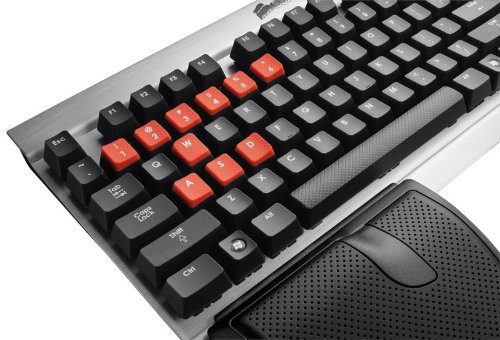
With similar switch keys,
Corsair Vengeance K60 Performance FPS Mechanical Gaming Keyboard (CH-9000004-NA)
membrane keyboard provides typing experience that similar to mechanical keyboards
While typing on
any keyboard with a high speed can be loud, membrane keyboard have
better reputation than mechanical keyboards when it comes to typing
sound volume. Some mechanical keyboard, especially the blue switches,
can be very loud, although it may not be a bad thing as some typists
enjoy this sound.

.
HAVIT Lammergeier HV-KB346L keyboard is quiet keyboard
Membrane keyboards
usually are usually made of plastic, making it lighter than mechanical
keyboard, which has a larger proposition of metal gears. You can easily
carry a light membrane keyboard and type on your lap if you want to.
As
membrane keyboards can be made with common materials and matured
technology, a membrane keyboard will be more affordable than a
mechanical keyboard that comes with the same features.
Cons of Membrane Keyboards
The
keys require more of an effort to type, when you press down on the key.
Some typists found that membrane keyboards are “mushy” to type on,
which affect their typing experience.
If
you’re a fast typist there will be times when you’re typing that the
keys will not be registered as a hit as the key wasn’t pressed down all
the way. This happens to me all the time.
Though
having a lifespan of millions of key presses and lasts for years, the
membrane keyboard can still wear out quicker than a mechanical keyboard,
when they do wear out the membrane will start to feel more mushy which
causes the keys to loose feedback.
While
you can take away keycaps of mechanical keyboards to clean the
keyboard, it is harder to clean a membrane keyboard as the keycaps are
usually not removable.
Mechanical keyboard
What is a mechanical keyboard
The
mechanical keyboards use switches to send typing signal. There are more
than one kind of switches out there, each one performing differently.
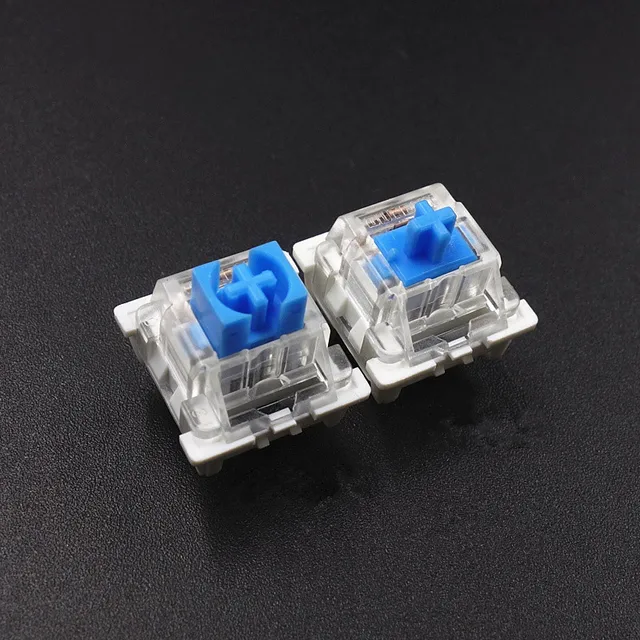
Each key has its own switch, which comes with a base, a spring and a
stem. The most common switches are blue, red, brown, black etc. Some
require a certain amount of force to be press, Tactile while making a
clicking sound or without, and others can be easy to press. Mechanical
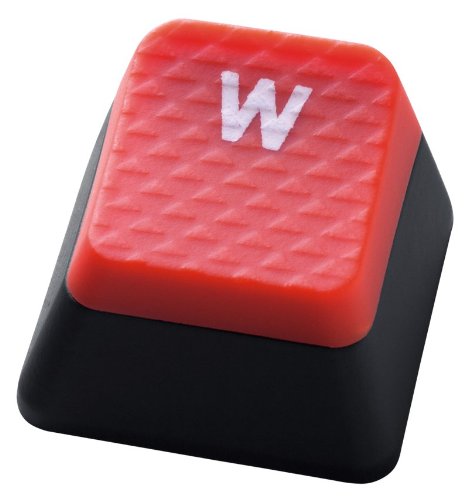
keyboard usually provides exchangeable keycaps, which allow users to DIY
their keyboard.
.
Pros of mechanical keyboards
The
key caps can be removed which allow you to customized your keyboard to
match the theme of your case, your desktop or give a style’s look to
your keyboard.

.
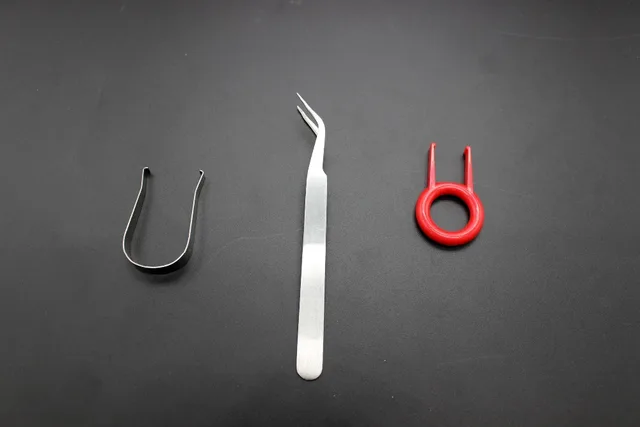 |
| removal device | |
| . |
|
|
|

.

.

.
Since there isn’t a
membrane inside the mechanical they take a longer time than membrane
keyboards to wear out. Plus they stay the same since day one and do not
change feedback. Meaning you do not have to get used to the keyboard
again if the feel changes unlike membrane keyboards.
Typist
benefit from the keys as so, when you type the letter is registered and
it does not require a lot of effort to type, which is great for those
who are fast typist including gamers, who need to hit one or more then
quickly or often.
With
mechanical keyboard, you don’t have to press a key all the way down to
the bottom to make it register, which means you can press half way and
stop. This allows faster typing speed and less fatigue.
The
weight of mechanical keyboard can be either a pro or a con, depending
on how you use it. Mechanical keyboards tend to be heavy which helps by
stopping the keyboard from being pushed around your desk when you type.
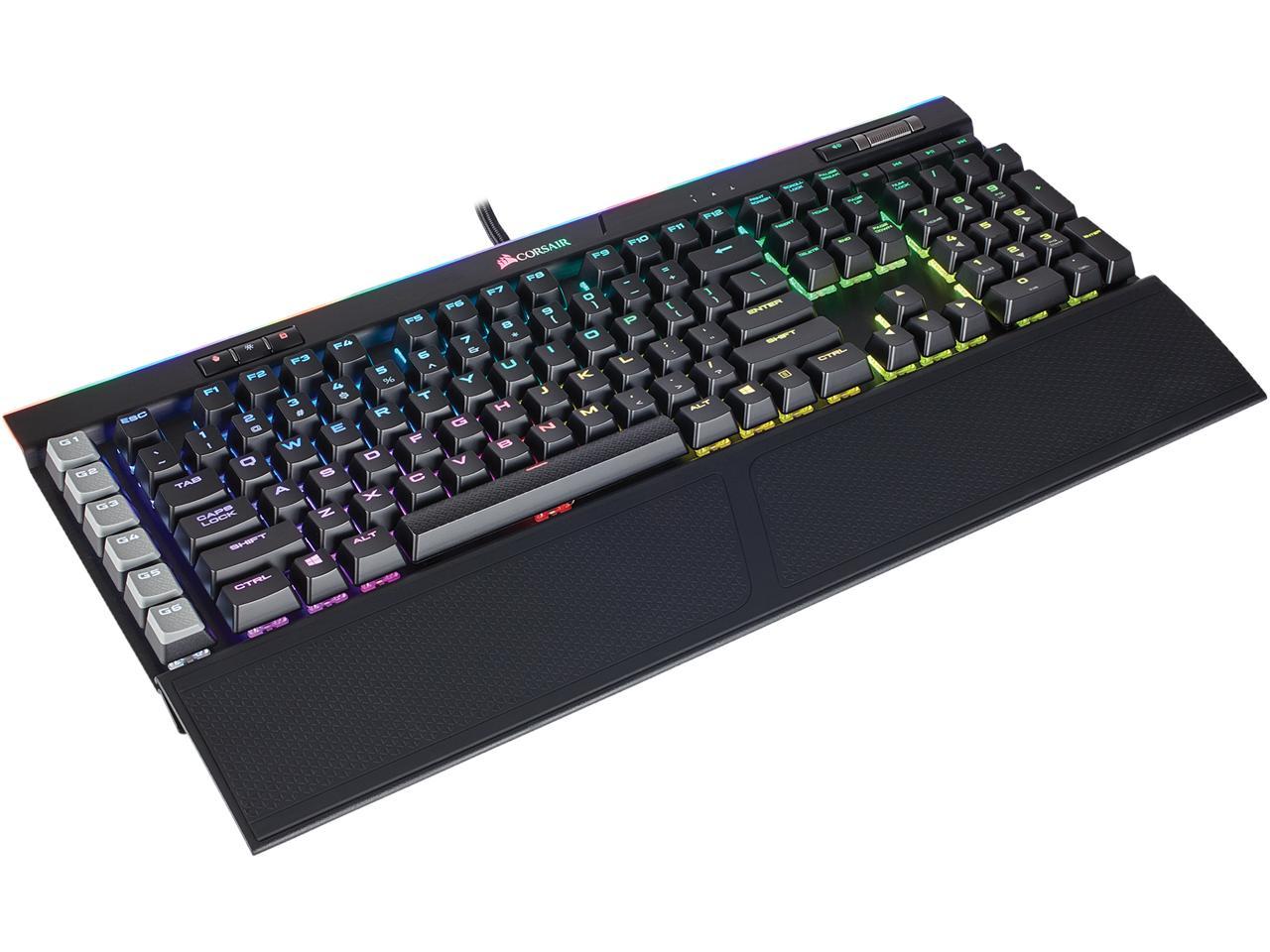
K95 RGB PLATINUM Mechanical Gaming Keyboard — CHERRY® MX Brown — Black
.
Mechanical keyboard
usually allows you to press many keys at the same time; some even allows
you to press all keys at the same time (N key rollover). This will
benefit those who games with the keyboard.
 .
.
N key rollover is supported with all of our mechanical keyboards, even with USB ports
As the keycaps of mechanical keyboard can be removed, you can clean a mechanical keyboard easily by removing the keycaps.
Cons of mechanical keyboards
Mechanical
keyboards use more expensive materials and technology, so you will need
to spend more than you normally would for a membrane to get one.
The
sound volume of mechanical keyboard depends on the switches that are
used, such as blues as they can be loud. So if you’re in a location with
other people, they will hear you typing away, unless you have the door
closed, or if you’re talking on a mic. Again, some typists don’t mind
the sound and even enjoy them.
Weight
while this is a pro for some people, this can be a con for others those
who move their keyboards around while its traveling or move from
different desktops.
While
mechanical keyboards can be used out of the box, it will be also fun to
customize it with different keycaps and switches. However, customizing
it may require some DIY skills


Looking for Top Ducky Shine 7 Mechanical Keyboard in Uae, Gunmetal RGB LED Mechanical Keyboard in Uae, Double Shot PBT Mechanical Keyboard in Uae
ReplyDeletehttps://pcdubai.com/product/ducky-shine-7-gunmetal-rgb-led-double-shot-pbt-mechanical-keyboard-with-cherry-mx-silent-red-dark-grey-dksh1808st-suspdaht1/